Create a simple interactive experience where the user controls a character moving horizontally across a 2D environment using keyboard input.

Unity Game: GothicVania Cemetery
Project Details
| Categories | SMC |
|---|
Context
Assets
I used the pre-made assets, the Gothicvania Cemetery Asset Pack, from the Unity Asset Store. I wanted to build a visual environment for the character quickly.

Interaction + Physics Setup
I set up a controllable player using Unity’s built-in physics system.
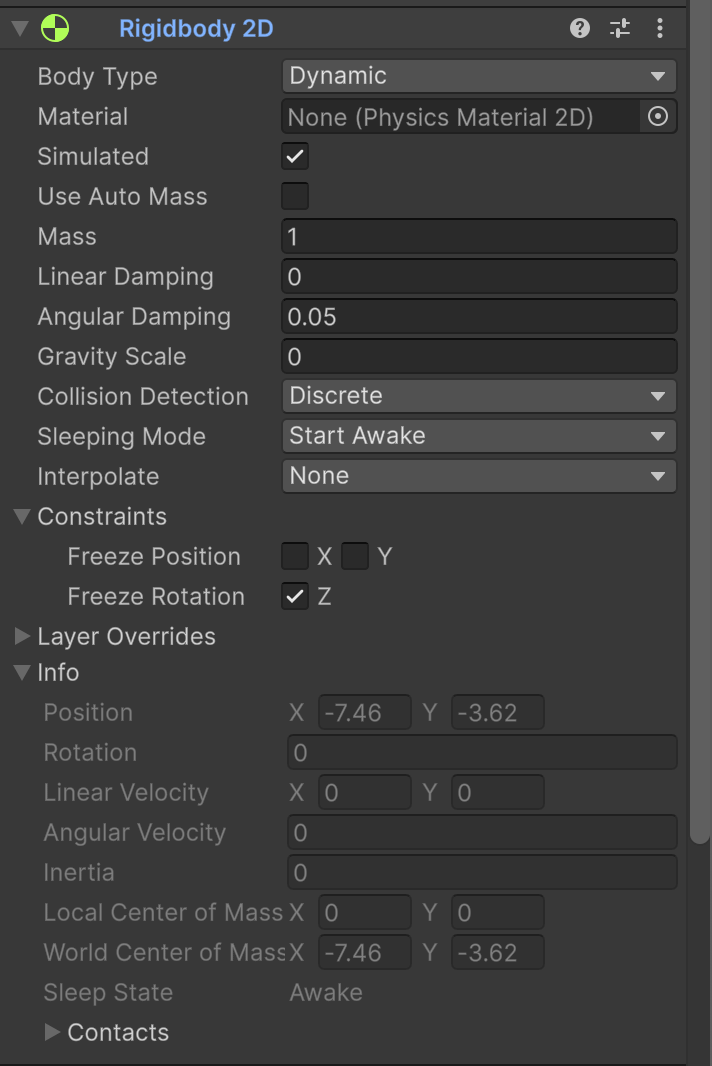
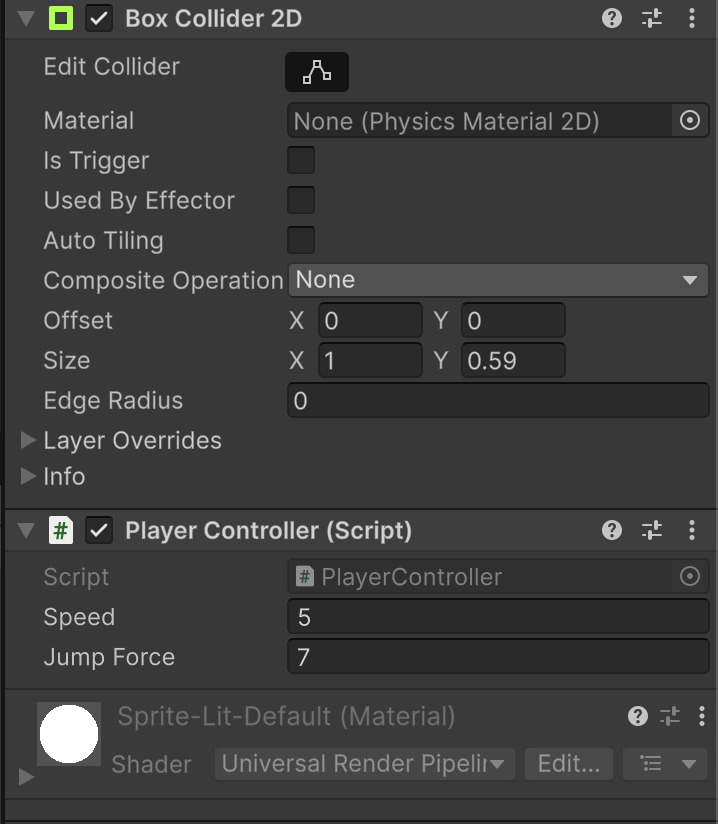
Created Player object from sprite:
- Rigidbody2D: enables physics-based movement
- BoxCollider2D: defines interaction boundarie
- Gravity Scale = 0 (for initial testing)
- Freeze Rotation Z (prevents tipping)
Input + Movement Implementation
Implemented horizontal movement using keyboard input and Rigidbody velocity.
Input:
- A / D keys
- Left / Right arrows
using UnityEngine;

public class PlayerController : MonoBehaviour
{
    public float speed = 5f;
    public float jumpForce = 7f;

    private Rigidbody2D rb;
    private bool isGrounded;

    void Start()
    {
        rb = GetComponent();
    }

    void Update()
    {
        float move = Input.GetAxis("Horizontal");
        rb.linearVelocity = new Vector2(move * speed, rb.linearVelocity.y);

        if (Input.GetKeyDown(KeyCode.Space) && isGrounded)
        {
            rb.linearVelocity = new Vector2(rb.linearVelocity.x, jumpForce);
        }
    }

    void OnCollisionStay2D(Collision2D collision)
    {
        if (collision.gameObject.CompareTag("Ground"))
            isGrounded = true;
    }

    void OnCollisionExit2D(Collision2D collision)
    {
        if (collision.gameObject.CompareTag("Ground"))
            isGrounded = false;
    }
}
-
Input.GetAxis(“Horizontal”) reads left/right input
-
linearVelocity moves the player using physics
-
isGrounded ensures jumping only happens on contact with the ground
Next Steps
Next steps focus on expanding the interaction into a complete playable experience.
- Build a ground platform using the Tile Palette system
- Place 16×16 tiles to form a continuous surface
- Add Tilemap Collider 2D for collisionFinalize jump interaction
- Use ground detection to control when jumping is allowed